Branding
5 AI Prompts for Logo Design You Can Copy and Use Today
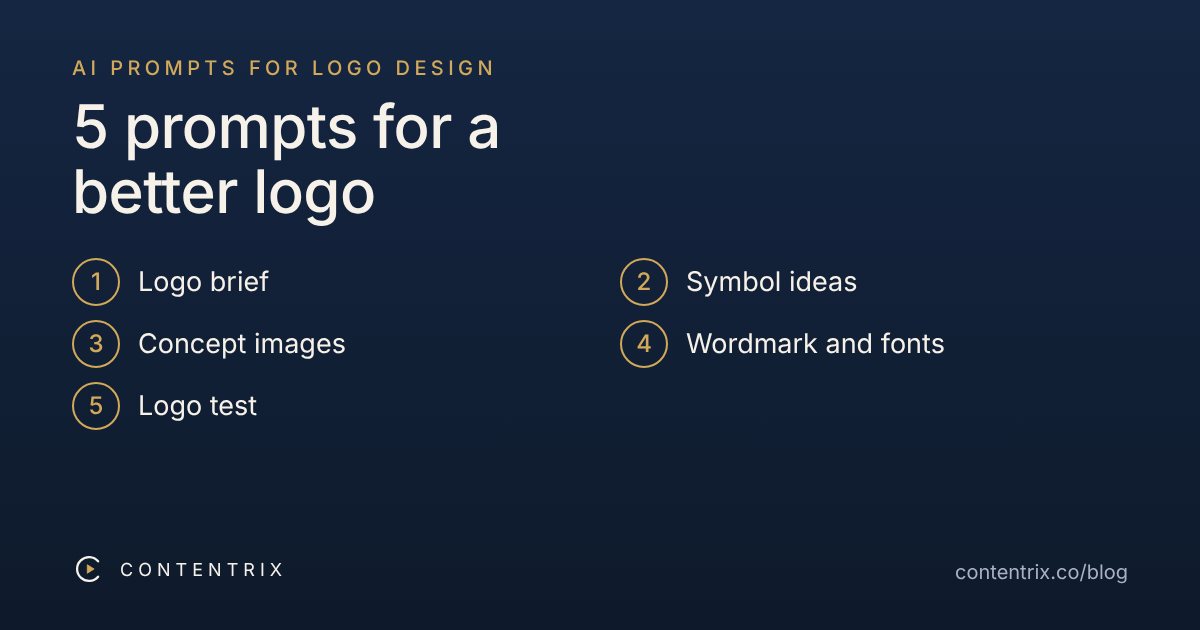
Short answer: AI is good for the early steps of logo design: writing a brief, finding symbol ideas, making rough concept images and testing a draft. It is not good at finished logos. Use the five prompts below in order, then redraw your best idea as a clean vector file. Replace the [brackets] with your details and paste each prompt into a chatbot or image tool.
How should you use these prompts?
- Start with the brief. A request such as “make me a modern logo” gives generic results.
- Ask for several options and compare them. Do not accept the first image.
- Keep text out of the image tool. Image generators often misspell words, as we saw with typos in AI video.
- Finish in a design tool. A generated image is usually a pixel picture, so redraw the final choice as a vector (SVG).
- Choose colours with a purpose. Our guide to choosing brand colours helps with prompt 1. For positioning and voice, see 5 AI prompts for branding.
1. Turn your business into a logo brief
A logo starts with a short brief, not a picture. This prompt turns what you know about your business into one page you can reuse in every other step.
Act as a brand designer. My business is [type of business] called [name]. It serves [audience] in [city or market]. Three words we want people to feel: [word 1], [word 2], [word 3]. We want to avoid: [clichés, colours or styles you dislike].

Write a one-page logo brief with: (a) a one-sentence description of the brand; (b) the personality in three traits; (c) 3 colour directions with a reason for each; (d) 3 style directions (for example geometric, hand-drawn, minimal); (e) where the logo will be used (profile picture, website, packaging, video); (f) a list of things the logo must not look like.
What to do with the answer: Edit the brief until it sounds like your business. Everything after this step depends on it.
2. Get symbol ideas, not just pretty ones
Good logo marks are simple and mean something. This prompt asks for ideas with a reason, so you can judge them before any image is made.
Using the brief below, give me 15 symbol ideas for a logo mark. For each idea give: the concept in one line, the visual metaphor behind it, and how well it would stay readable at 32 pixels wide. Then rank the top 5 for simplicity and memorability. Avoid clichés such as [common clichés in your field, for example lightbulbs, globes, handshakes].

[paste your brief from prompt 1]
What to do with the answer: Choose two or three ideas that fit your business, not the most decorative ones.
3. Generate concept images (image tool)
Use an image generator to see your ideas. Ask for a symbol with no text, a flat style and a plain background, and make several versions.
A simple flat vector-style logo mark for [type of business]. Concept: [one idea from prompt 2]. Shape language: [rounded / geometric / hand-drawn]. Colours: [2 or 3 colours]. Centered on a plain white background, lots of empty space, no text, no letters, no gradients, no shadows, no mockup. Make 4 variations.
What to do with the answer: Look for a shape that still works when you squint. Do not pick based on small details, because they disappear at small sizes.
4. Choose a wordmark and fonts
Keep the name out of the image generator. Choose lettering yourself with real fonts, so the spelling is always right.
My brand name is "[name]". The personality is [three traits from your brief]. Suggest 3 font pairings (one for the logo name, one for supporting text) that fit it. For each pairing explain why it fits, say what type of feeling it gives, and say whether it stays readable in small sizes. Prefer fonts from Google Fonts. Tell me what to check about the font licence before commercial use.
What to do with the answer: Type the name in each suggested font yourself and compare. Check the licence on the font's own page, not only from the chatbot.
5. Test the logo before you commit
A logo has to work in many places. Use this prompt with a screenshot of your logo, and also test it yourself.
Here is a draft logo [attach the image]. Review it as a brand designer. Check and give me a short verdict for each: (1) is it clear at 32 pixels wide; (2) does it work in one colour; (3) does it work on both light and dark backgrounds; (4) is the shape distinct from common logos in [your field]; (5) is anything confusing, such as unclear shapes or lettering. Then list 3 specific changes to try.
What to do with the answer: Also look at it on your phone, in the profile-picture circle and at tiny size. If it only works large, simplify it.
See it in action: one prompt plus Canva
A prompt gives you a sketch, not a finished logo file. This video shows the whole path for a made-up real estate brand called Nova Plaza: one simple prompt in ChatGPT, then rebuilding the symbol as three editable triangles in Canva, matching the colours, adding a wordmark and finishing with brand colours.
The prompt from the video, with brackets for your details:
Design a minimalist vector logo for a [type of business] brand called "[name]". The symbol is built from exactly three triangles of different sizes, overlapping slightly. Flat solid colors only: [color 1], [color 2] and [color 3]. Sharp geometric edges, no gradients, no shadows, no 3D effects, no extra shapes. Centered on a plain white background. Place the wordmark "[NAME]" in a clean modern sans-serif font below the symbol.
What to do with the answer: Do not use the picture as your logo. Redraw the shapes as vectors in Canva or another design tool, as shown in the video, so you can recolour and resize them cleanly.
What to check before you use an AI logo
- Similarity. Search for logos and trademarks that look like yours. A chatbot or image tool cannot confirm yours is unique.
- Rights. Read the tool's terms about commercial use. Whether purely AI-generated artwork can be protected by copyright is unsettled and differs by country, so for a real business ask a professional.
- Files. Keep a vector version, transparent PNGs, a one-colour version and a dark-background version.
- Small sizes. Check it at 32 pixels and in a round profile picture.
Frequently asked questions
Can AI design a logo for me?
AI can give you ideas and rough concept images quickly. It rarely gives you a finished logo. Image tools usually produce pixel images, not vector files, and they often misspell any text. Treat the result as a sketch, then redraw the best idea as a clean vector in a design tool.
Which AI tool should I use for the concept images?
Any image generator that follows detailed instructions can run prompt 3, and the text prompts work in any chatbot. The prompts do not depend on one product. Try the same prompt in two tools and compare, and read each tool's terms about commercial use.
Why does the text in AI logos look wrong?
Image generators draw letters as shapes and often get spelling, spacing or letterforms wrong. That is why prompt 3 asks for a symbol with no text, and prompt 4 handles the name separately in a font you choose.
Is an AI-generated logo safe to use for my business?
Not automatically. A generated image can resemble an existing logo, and whether purely AI-generated artwork can be protected by copyright is unsettled and differs by country. Check what your tool's terms allow, search for similar logos and trademarks yourself, and speak to a professional before using a logo for a real business.
What file format does a final logo need?
Keep a vector version (SVG or PDF) for printing and resizing, and PNG exports with transparent background for social media and websites. Also keep a one-colour version and a version for dark backgrounds.
How do I make the logo different from everyone else's?
Start from your own brief, not a generic request such as "a modern logo". Use a symbol tied to something specific about your business, and avoid the most common clichés in your field.